
Voicemails and family recordings.
A parent's voicemail, an answering machine tape or a camcorder interview: repair only the seconds that are hard to hear and leave the rest exactly as it was.
Family recordings SOLIPSIUMAlpha
Solipsium will check your audio and recommend fixes. Or you can choose them yourself, from light processing all the way to audio reconstruction.
Free for a limited time: every repair, whole recordings included, with no card.
Drop a recording here
It stays on your device until you ask for a repair.
WAV, MP3, M4A, MP4, phone voicemail and more, up to five minutes to check here.
After signing up, drop the same file into the editor to repair all of it.
Then drop the same file into the editor. Scans and short repairs are free.
Listen without signing in. Switch versions while it plays.
Introducing Prism
Our own models, each built for one kind of damage and measured before it touches your recording. Coming soon.
Prism is the family of models Solipsium trains itself. Each one learns a single repair, so it can be tested on exactly the damage it was made for.
Prism-PLC is for dropouts, the moments a call or a damaged file loses its sound. On the site today, gap filling carries the voice into short dropouts from both sides. Prism-PLC reshapes that fill, band by band, from the sound around the gap.
Prism-PLC is an experiment members can choose in the editor, one Suggested repair at a time. It stays off unless you tick it. It is built for speech. In an October 6 test of 80 recordings with dropouts, 75 measured better than before and none worse. On music it did worse than plain gap filling on 2 of 24 test clips. A second Prism model, for muffled speech, is coming soon.
Each problem the scan finds goes to the repair that measured best on that kind of damage in Solipsium's speech benchmark, or is left alone where no repair measured better. Clicks are left for the editor's Clicks button.
Sound added where the recording had none is labelled: a filled gap as estimated, rebuilt treble as inferred.
A repair is saved as an alternative you can keep, blend or undo.
A Prism model reaches the site only after it beats what it replaces on recordings it was not tuned on. Every result, good or bad, is kept.
What each product's official pages list, read on September 30 and again on October 3, 2026. We have not tested these products against Solipsium, so this compares what they do.
Swipe the table sideways to see all four products.
| Solipsium | Adobe Podcast Enhance Speech | NVIDIA Broadcast | iZotope RX 12 | |
|---|---|---|---|---|
| Works on | Recordings you upload, in your browser | Recordings you upload, in your browser | Live calls and streams, as a Windows app | Recordings, plus real-time plug-ins inside audio and video editors, as Mac and Windows software |
| You need | A web browser | A web browser | An NVIDIA RTX 2060 graphics card or newer | A Mac or a Windows computer |
| Price as listed | Free during alpha | Free plan, more with Adobe Firefly Pro | No price listed; a direct download | US$99 to US$1,399, or US$15 to US$25 a month in a subscription bundle |
| Repairs it names | Noise, echo, hum, clipping, clicks, dropouts and muffled phone sound, with lost high frequencies rebuilt and marked as inferred | Noise and echo | Noise and room echo | Noise, reverb, hum, clipping and clicks; gaps filled by hand in the Standard and Advanced editions; missing high frequencies in Advanced |
| Lists every change it made | Yes, with times | Not described | Not described | An undo history of your edits |
Not described means we did not find it on the product's official pages, not that it is missing. Prices in US dollars as each vendor lists them. Adobe, NVIDIA, iZotope and their product names are trademarks of their owners; no endorsement is implied. Sources: podcast.adobe.com/en/plans, nvidia.com/en-us/geforce/broadcasting/broadcast-app, izotope.com/collections/rx, izotope.com/en/products/rx, izotope.com/pages/subscriptions.
How it works
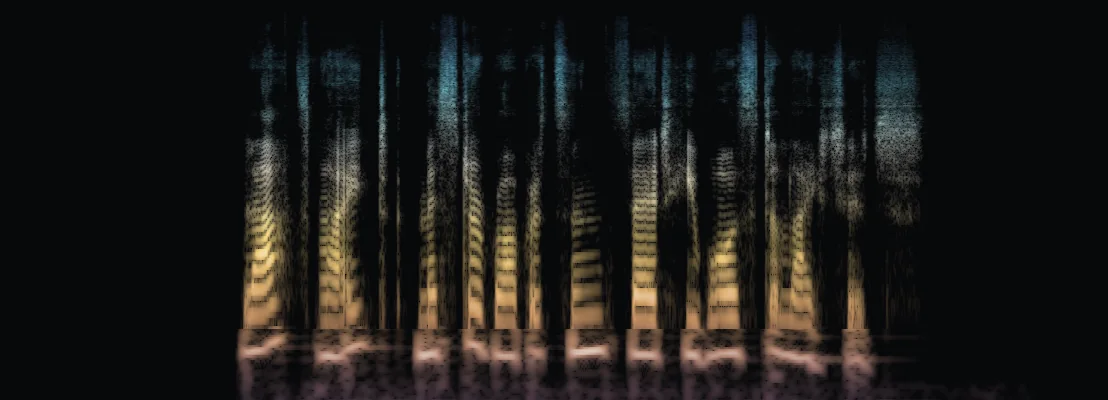
The pictures below are what the engine produced from one recording.
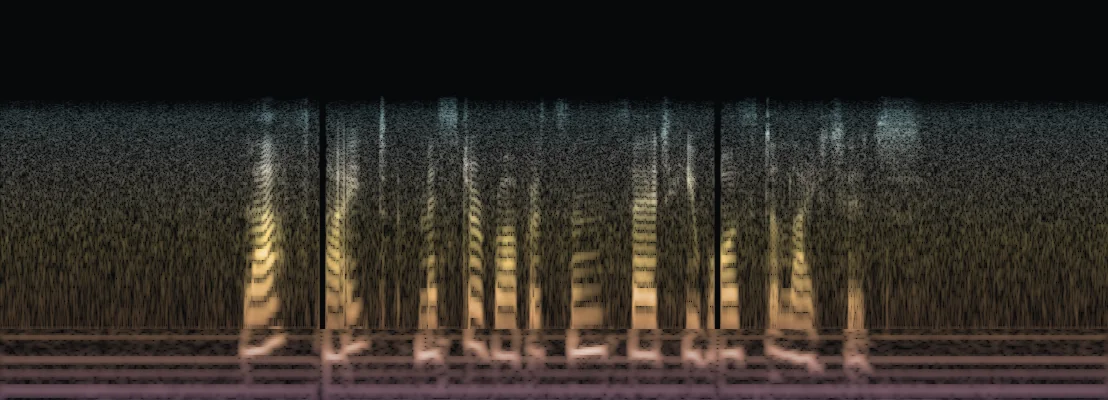
This is one spoken sentence, damaged on purpose. Time runs left to right, low notes at the bottom, high at the top. Colour follows pitch; brighter is louder.
Step 1 of 4
Before anything changes, the diagnosis lists each problem and where it is. The numbers match the marks.
Step 2 of 4
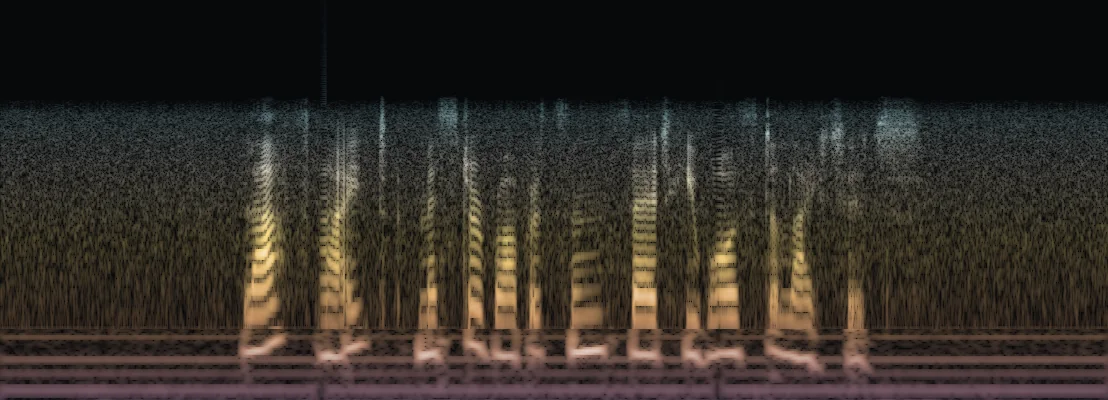
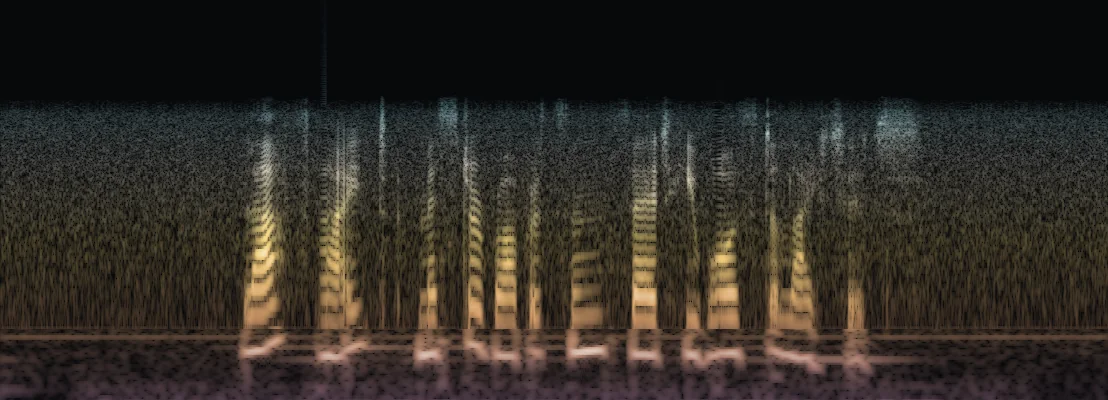
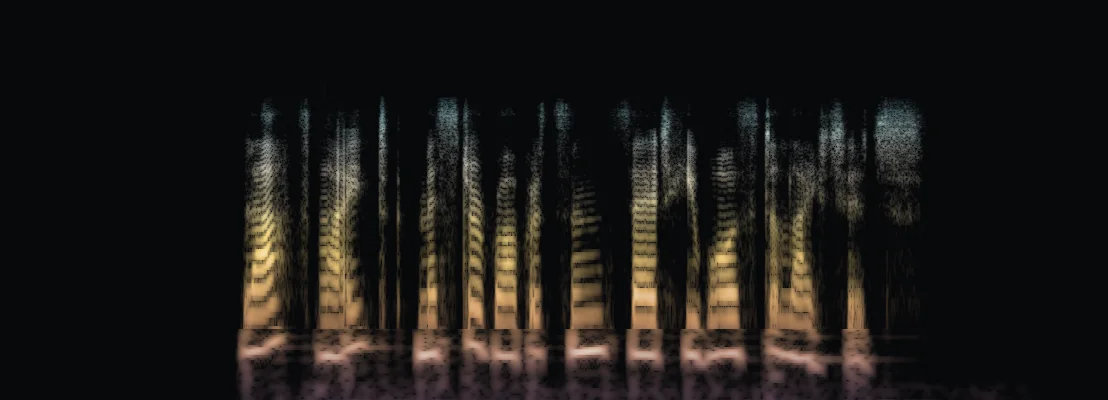
The repairs run in the engine's own order. Each picture is the sound after that repair.
RanDropout filling. Short holes of lost audio were found, so they are filled from nearby sound.RanHum removal. Mains hum was found, so it is notched out before any cleanup.RanFull-band speech cleanup. A steady noise floor was found, so it is removed.SeparateTreble rebuilding (AudioSR). Suggested repair ends before this step. AudioSR ran separately on the GPU, and what it adds is inferred.Step 3 of 4
Filled gaps are estimated and rebuilt treble is inferred, so both are marked here.
Step 4 of 4
The frequencies fold back into one beam. The faint beam behind it is the damaged recording.
What it fixes
Each recording is scanned first. Then Suggested repair runs the plan that measured best for what the scan found, or you pick a passage and a tool yourself.
A speech model keeps the voice's full range and lowers what surrounds it. Echo gets its own reducer, which works through longer recordings about 20 seconds at a time. Both were chosen by measurement.
Mains hum at 50 or 60 Hz and its harmonics, found by measurement and notched out in bands a few hertz wide.
Flattened peaks are partly raised back from the undamaged samples around them. Sharp-edged gaps of digital silence up to 100 ms are filled from both sides as estimates. No other web service page we read on October 3, 2026, names automatic dropout filling.
The hiss band of an s or sh is turned down by up to 6 dB where the tool detects one, never removed. In an October 3 test, we made the s sounds harsher in 154 versions of 80 recordings: 1 measured better and none worse, and the sound around the s moved further from the original in all 154. In the 80 recordings with nothing added, part of the sound measured worse in every one.
A deep thump from a p or b hitting the microphone is filtered where the tool finds one. On October 3 we added made-up pops to 474 versions of 80 recordings: 125 measured better and 2 worse, and the sound around the pops moved further from the original in 424. In 10 of the 80 recordings with no pops added, part of the sound measured worse.
The editor's breath tool is meant to lower breaths between words. In an October 5 test, it missed nearly all of the 480 made-up breaths we added to versions of 80 recordings, and in 47 of 313 test recordings it lowered part of a word.
In the editor, a speech model finds the voice and turns the rest down. In an October 5 test, the music usually went down by less than the setting asked. At the default setting the voice measured worse than before in 39 of 317 test recordings, 38 of them with a made-up chord as the music.
Speech that stops below about 5 kHz, as on a phone line or a low-bitrate call, gets its treble rebuilt by the AP-BWE model, and so does a file saved at 16 kHz, which stops at 8 kHz. Suggested repair does this when the scan finds nothing else wrong, or only steady noise, which it cleans first. The rebuild leaves the sound below 4 kHz (8 kHz in a 16 kHz file) as it found it, and labels the treble it adds as inferred sound. In the editor, AudioSR can rebuild a passage of up to 60 seconds.
Drag a box on the spectrum over the time and pitch of a sound, then turn it down or redraw it from the sound around it. Nothing outside the box changes.
The editor
Select the seconds that need work, play the repair against the original, and keep it if it helps.
Repair
Blend 65%
Alternatives
Preview 48 kHz
Project library
Kept repairs
A drawing of the editor with the original and the repair side by side. Set the blend until it sounds right, then keep it.
Measured
Suggested repair was measured once, on 1,344 damaged recordings it had never been tuned on, as the site saves them.
90%
made better, against 51.8% for the strongest single tool
3.1%
made worse, against 46.4%
87%
of the way to a perfect chooser
Measured on real speech with simulated damage, scored by formula. Suggested repair has changed since September 29.
Who it's for
The same editor and repairs work on a voicemail, a podcast, a film's dialogue or an archive tape.
A parent's voicemail, an answering machine tape or a camcorder interview: repair only the seconds that are hard to hear and leave the rest exactly as it was.
Family recordingsClean up a noisy room or a phone call, then check the loudness, peaks and channels of the exact file you deliver.
Check a deliveryCheck each file against delivery requirements, compare repairs and download a report per file, in your browser.
Solipsium for teamsRepair the noise, hum and clicks a location leaves on production sound, a scene at a time, with every change listed by its time.
Solipsium for filmWAV, FLAC, MP3, OGG, M4A, MP4, MOV, MKV and WebM, and phone voicemail and voice memo files in AMR, 3GP, AAC, Opus or WMA, up to 1 GB and 30 minutes. A project works on one audio track; you can pick a different track when you import in the editor.
We have not tested other products' one-click tools. Solipsium's strongest single tool, Full-band speech cleanup, made 46.4% of 1,344 damaged test recordings worse when it ran on every one of them (scored by formula). So Suggested repair measures each recording first and runs only the repairs that measured best for its kind of damage. Anything no repair improves is left alone, and you see what changed before you keep it. Scanning, passage repairs and whole-recording repairs are free during the alpha.
iZotope calls RX “the industry standard for post”, and its desktop editor has more than 50 tools, among them Music Rebalance, Ambience Match and Spectral Repair. RX 12 Elements, the entry edition, has six plug-ins that run inside an audio or video editor: De-click, De-clip, De-hum, De-reverb, Voice De-noise and Repair Assistant. Solipsium has its own version of each, with Suggested repair in the assistant's place. It also has sibilance and plosive control, dropout filling and a spectral box, and it runs in a browser with nothing to install. For each recording it picks the repair from a measured benchmark, leaves alone what would not help and lists every change with its time before you keep it. Passage repairs are free here (once payments open, an AudioSR passage takes a credit). RX 12 Elements was listed at $99 in October 2026.
No. The cleanup and repair tools lower or remove sound, rebuild clipped peaks, notch out hum and fill short gaps, and none of them writes new words. A filled gap is labelled as estimated sound, and rebuilt treble or detail as inferred sound. What changed points to any moment where a repair added sound in a quiet place or removed loud sound, so you can listen there before you keep it.
Yes. Each repair is saved as a separate alternative, and you choose which one to keep and how much of it to blend in. To go back to the original passage, undo the repair or remove it.
It repairs the audio while you watch the picture in sync. A video export keeps the original picture with your repaired audio track and leaves out any other audio tracks and subtitles.
Not to try it. Drop a recording on this page and the check runs in your browser, and you can hear its first 20 seconds repaired without an account. To repair a whole recording and keep your repairs, make a free account, which needs no card. Your recordings, saved repairs and downloads are private to your account.
The quick check on this page stays in your browser. Pressing Repair the first 20 seconds sends those 20 seconds to the server, or the whole file when your browser cannot open it. The upload is deleted at once, and the 20 seconds and their repair within an hour; a try is never used for anything else. Files you import into the editor are uploaded to Solipsium's server and restricted to your account. Solipsium does not train models on your recordings. The privacy notice explains hosting, optional cloud processing, usage analytics and the limits on deletion. Keep your own originals, and upload only media you have permission to process.
Make a free account and drop the file in to hear its repair next to the original.
The account is free and needs no card.